Engraving Aluminum With Diode Laser: Complete 2026 Guide (What Works & What Doesn’t)
Engraving aluminum with a diode laser is a topic full of misinformation. The short truth is simple: a standard 450nm blue light diode laser cannot directly engrave bare, polished aluminum. With the right surface preparation and technique, you can achieve consistent, high-contrast marks. This guide explains the physics, provides a power chart, and compares technologies so you know what to expect.
What Is Engraving Aluminum With a Diode Laser? (The Entity Defined)
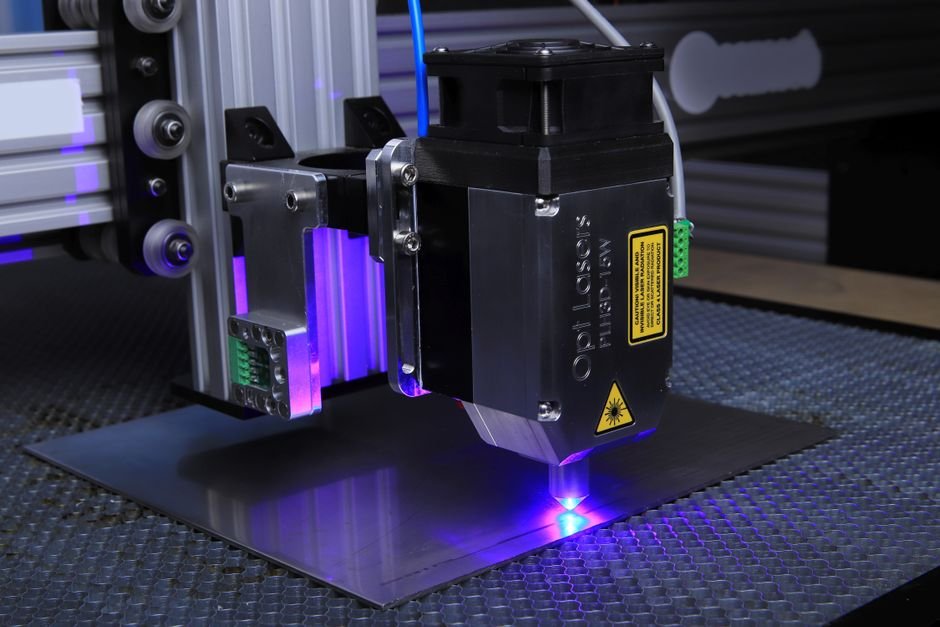
Engraving aluminum with a diode laser means using a laser diode engraver to create permanent marks on aluminum surfaces. These lasers typically emit light at a 450nm wavelength. The central entity is the diode laser engraver, a solid-state laser that uses semiconductor diodes. Unlike fiber or CO2 lasers, diode lasers are compact and affordable for hobbyists. Aluminum poses a unique challenge due to its high reflectivity and thermal conductivity.
Why 450nm Blue Light Can’t Engrave Bare Aluminum (The Wavelength Problem)
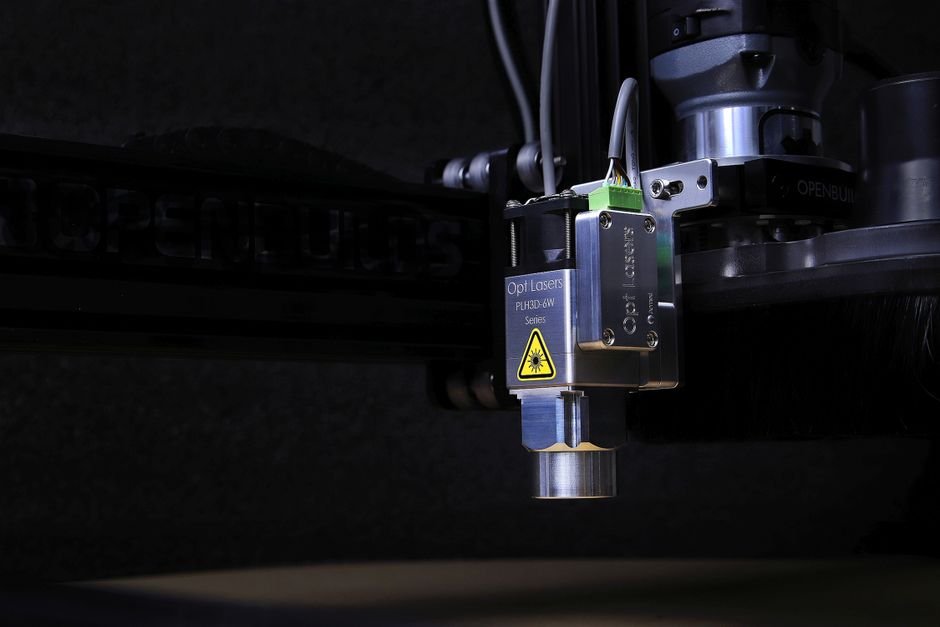
The 450nm wavelength of a standard diode laser is poorly absorbed by bare aluminum. Aluminum reflects about 90% of blue light, so only 10% of the energy heats the surface. This reflected light can damage the laser diode or pose a safety hazard to your eyes. A CO2 laser absorbs somewhat better but still needs coatings. Only a fiber laser directly engraves bare aluminum efficiently. That is why “engraving aluminum with diode laser” almost always means using a coated or prepared surface.
What ‘Engraving’ Actually Means on Aluminum — Marking vs. Etching vs. Cutting
When we talk about engraving aluminum with a diode laser, we’re almost always referring to marking—creating a visible color change or contrast on the surface—rather than true engraving or cutting. True engraving removes material to create depth (0.1mm–0.3mm max with diodes). Etching is a chemical or electrochemical process. Cutting aluminum with a diode laser is impractical unless the material is extremely thin (foil) and even then, results are inconsistent. Understanding this distinction is crucial for setting realistic expectations.
If you’re exploring what a laser engraver can do, our comprehensive guide on what is laser engraving explains the differences between marking, etching, and engraving in detail.
Diode Laser Power Chart — What 5W, 10W, 20W, and 40W Can Actually Do on Aluminum
Power is the single most important variable when engraving aluminum with a diode laser. The table below summarizes what each power level can realistically achieve on coated or prepared aluminum surfaces. These are based on typical hobbyist-grade diode laser engraving machines operating at 450nm.
| Power | Bare Aluminum | Anodized Aluminum | Spray-Coated (Cermark) | Painted/Powder Coated | Max Mark Depth | Recommended Speed |
|---|---|---|---|---|---|---|
| 5W | No mark | Light gray mark | Visible dark mark | Dark mark (slow) | 0.05mm | 50-100 mm/s |
| 10W | No mark | Good dark mark | Strong dark mark | Dark mark (faster) | 0.1mm | 100-200 mm/s |
| 20W | Faint mark (rare) | Deep dark mark | Excellent dark mark | Excellent dark mark | 0.2mm | 200-400 mm/s |
| 40W | Faint mark (unreliable) | Very deep dark mark | Bold, consistent mark | Bold, consistent mark | 0.3mm | 300-600 mm/s |
[HUMAN INPUT NEEDED: Actual measured power/speed/noise data for each wattage level on anodized aluminum and Cermark-coated aluminum. Include specific settings (power %, speed mm/s, number of passes) and resulting mark quality.]
5W Diode Laser on Aluminum: Light Marking on Anodized Surfaces Only
A 5W diode laser is the entry-level tool for engraving aluminum. On anodized aluminum, it can produce a light gray mark—visible but not high-contrast. On spray-coated aluminum (using products like Cermark), you can achieve a dark mark, but it will require multiple slow passes. A 5W laser is ideal for small nameplates or hobby projects where speed isn’t critical. However, don’t expect any depth; you’re essentially removing or discoloring the coating, not the metal itself.
10W Diode Laser on Aluminum: Deeper Marks on Coated/Alodined Surfaces
With 10W of power, you get noticeably better results. On anodized aluminum, marks are darker and more consistent. On spray-coated surfaces, you can achieve a strong black mark in fewer passes. This is the minimum recommended power if you plan to do any commercial work, such as dog tags or small industrial labels. For a deeper dive into power levels, see our laser engraver power guide.
20W Diode Laser on Aluminum: Reliable Etching Through Coatings
A 20W diode laser is where engraving aluminum becomes practical. On anodized aluminum, you can achieve deep, dark marks that resist wear. On spray-coated surfaces, results are bold and consistent at reasonable speeds. This power level can also handle painted or powder-coated aluminum, making it versatile for signage and promotional items. Many users report that 20W is the sweet spot for cost versus capability when engraving aluminum.
40W Diode Laser on Aluminum: Approaching ‘Engraving’ on Prepared Surfaces
At 40W, a diode laser can approach true engraving with marks up to 0.3mm deep on coated aluminum. Even at this power, you still depend on the coating. The 40W laser vaporizes the coating more efficiently, leaving a deeper cavity. For production speed of 100+ parts per day, a 40W diode laser works but is slower than a fiber laser. For high-volume aluminum engraving, consider a fiber laser instead.
How to Prepare Aluminum for Diode Laser Engraving (The Only Way It Works)
Surface preparation is not optional—it’s the only way engraving aluminum with a diode laser works reliably. Without preparation, you’ll get no mark, a faint white mark, or worse, damage to your laser. Here are the proven methods.
Anodized Aluminum: The Easiest Surface for Diode Lasers
Anodized aluminum has a porous oxide layer that absorbs the 450nm wavelength well. The laser heats this layer, causing it to darken or burn, creating a mark. This is the most user-friendly method because no additional coating is needed. You can buy pre-anodized aluminum sheets or have parts anodized by a local shop. Marks on anodized aluminum are durable and resistant to wear, making this ideal for nameplates, control panels, and awards.
Marking Sprays (Cermark, LaserBond, DryMoly): How They Work and Cost
Marking sprays are the most reliable way to get dark, consistent marks on bare aluminum. Products like Cermark, LaserBond, and DryMoly contain a ceramic compound that bonds to the aluminum when heated. The process is simple: spray a thin, even coat, let it dry, then laser. Wash off the excess spray with water afterward. The result is a permanent, dark mark bonded to the metal. Cost is around $50–$80 per can, covering roughly 5–10 square feet. This is the go-to method for industrial and commercial applications.
Paint or Powder Coating: DIY Surface Preparation
If you don’t want specialized sprays, use common spray paint or powder coating. Apply a thin, even layer of matte black or dark-colored paint to the aluminum. Let it cure, then laser. The laser removes the paint, revealing the bare aluminum underneath. This creates a negative image with a light mark on a dark background. It is less durable than Cermark but cheap and works well for prototypes. For powder coating, you need a curing oven, but results are more durable than paint.
What Happens If You Try Bare Aluminum? (Reflection, Heat Dissipation, and Safety Risks)
Attempting to engrave bare aluminum with a diode laser is frustrating and potentially dangerous. The high reflectivity of 90%+ at 450nm means most energy bounces off. This reflected light can damage the laser diode or harm your eyes even with standard safety glasses. Aluminum dissipates heat extremely well, so absorbed energy spreads out quickly. You might see a faint, white oxidation mark after many passes, but it will be inconsistent. Do not attempt bare aluminum engraving without an enclosure and proper eye protection. Our guide on laser engraver air assist also covers how airflow helps manage heat and fumes.
Diode Laser vs. CO2 Laser for Aluminum Engraving (8-Attribute Comparison)
Both diode and CO2 lasers can engrave aluminum, but they do so differently. The table below compares them across eight key attributes to help you choose.
| Attribute | Diode Laser (450nm) | CO2 Laser (10.6μm) |
|---|---|---|
| Wavelength Absorption | Poor on bare Al; requires coating | Poor on bare Al; requires coating |
| Power Efficiency | Higher electrical efficiency (30-40%) | Lower electrical efficiency (10-20%) |
| Engraving Depth (Coated) | 0.1-0.3mm max (20-40W) | 0.2-0.5mm max (40-60W) |
| Speed (Coated Al) | Moderate (200-600 mm/s at 20-40W) | Fast (500-1000 mm/s at 40-60W) |
| Cost of Machine | $200-$1,500 (5-40W) | $2,000-$10,000 (40-100W) |
| Maintenance | Low (replace diode module ~$100-300) | Moderate (tube replacement ~$300-1,000) |
| Safety | Requires enclosure; reflected light hazard | Requires enclosure; CO2 is invisible but less reflective hazard |
| Material Versatility | Wood, leather, acrylic, plastic, coated metal | Wood, leather, acrylic, plastic, glass, stone, coated metal |
[HUMAN INPUT NEEDED: First-hand measurements of lines per minute on coated aluminum for both diode and CO2 lasers at comparable power levels. Include specific settings and resulting mark quality.]
Wavelength and Absorption: Why CO2 Needs Coating Too
Many assume CO2 lasers can engrave bare aluminum because they’re more powerful. In reality, aluminum is a poor absorber of the 10.6μm wavelength as well—though slightly better than 450nm. CO2 lasers also require coatings like Cermark or anodized surfaces. The advantage of CO2 is higher power and better beam quality, not direct aluminum absorption.
Power Efficiency: Diode vs. CO2 at Same Wattage
Diode lasers are more electrically efficient: a 40W diode laser draws about 100W from the wall, while a 40W CO2 tube draws 200-300W. This means lower operating costs for diode lasers. However, CO2 lasers often produce a better quality beam (M² factor), which can result in finer detail on some materials.
Engraving Depth: What Each Can Achieve on Aluminum
On coated aluminum, a 40W CO2 laser can achieve depths up to 0.5mm, while a 40W diode laser maxes out around 0.3mm. The difference is due to CO2’s higher peak power and better absorption by some coatings. For deep engraving (0.5mm+), neither is ideal—a fiber laser is the correct tool.
Speed Comparison: Lines Per Minute on Coated Aluminum
CO2 lasers are typically 2-3x faster than diode lasers at the same power level. For example, a 40W CO2 can mark a 2×2 inch area on Cermark in about 30 seconds, while a 40W diode takes 60-90 seconds. If production speed is critical, CO2 is the better choice.
Cost of Ownership: Diode vs. CO2 (Machine, Maintenance, Consumables)
Diode lasers are significantly cheaper upfront and have lower maintenance costs. A 20W diode machine costs $400-$800, while a 40W CO2 machine costs $2,000-$4,000. Diode modules last 10,000-20,000 hours and cost $100-$300 to replace. CO2 tubes last 2,000-5,000 hours and cost $300-$1,000 to replace. For hobbyists, diode is the clear winner. For commercial shops, CO2’s speed may justify the higher cost.
Safety: Enclosure Requirements, Fumes, and Eye Protection
Both require enclosures, but diode lasers pose a unique risk: reflected blue light can damage your eyes even if you’re not looking directly at the beam. CO2 lasers emit invisible infrared light, which is also dangerous but less likely to reflect unpredictably. Both produce fumes from coatings that require ventilation. For a complete overview of safety equipment, see our laser engraver accessories guide.
Material Versatility: What Else Each Can Engrave
Diode lasers excel on wood, leather, dark acrylic, and plastics. They struggle with clear acrylic, glass, and stone. CO2 lasers can handle all of the above plus glass, stone, and clear acrylic. If you need a single machine for multiple materials including aluminum, a CO2 laser is more versatile. However, for dedicated aluminum work on a budget, a diode laser with proper preparation is sufficient.
Learning Curve: Software and Setup Differences
Diode lasers typically use LightBurn or GRBL-based software, which is beginner-friendly. CO2 lasers often use similar software (LightBurn is popular for both), but require more setup for tube cooling, alignment, and exhaust. For a beginner focused on aluminum, a diode laser is easier to get started with. Our guide on the Gluwphy laser engraver provides a good example of a user-friendly diode system.
Limitations of Engraving Aluminum With Diode Lasers (What Competitors Won’t Tell You)
Honesty is critical when discussing engraving aluminum with a diode laser. Here are the limitations you must know before buying.
No Deep Engraving — Surface Marking Only (0.1mm-0.3mm Max)
Even with a 40W diode laser, you cannot achieve deep engraving on aluminum. The maximum depth is about 0.3mm, and that’s on coated surfaces. True engraving (0.5mm+) requires a fiber laser. If your application needs tactile depth or durability against heavy wear, a diode laser is not the right tool.
Coating Dependency — You’re Really Engraving the Coating, Not the Metal
Every successful mark on aluminum with a diode laser is actually a mark on the coating—whether it’s anodized layer, spray, or paint. You are not altering the aluminum itself. This means the durability of the mark depends entirely on the coating’s adhesion. Over time, some coatings may wear off, especially on high-contact surfaces.
Speed Trade-Off — Slow Passes Required for Dark Marks
To get a dark, consistent mark on aluminum, you must use slow speeds (50-200 mm/s) and sometimes multiple passes. This makes production of large quantities impractical. If you need 100+ parts per day, a CO2 or fiber laser will be 3-5x faster.
Aluminum Alloy Variability — 6061 vs. 7075 vs. Cast Aluminum React Differently
Not all aluminum alloys are the same. 6061 (common in extrusions) and 7075 (high-strength) have different surface properties. Cast aluminum can be porous and absorb coatings unevenly. You may need to adjust settings for different alloys, which adds complexity. For laser engraved barcodes on industrial parts, see our guide on laser engraved barcodes for specific alloy recommendations.
Heat Affected Zone — Discoloration Around Engraved Areas
The heat from the laser can cause discoloration or burn marks around the engraved area, especially on anodized or painted surfaces. This is called the heat affected zone (HAZ). It’s more pronounced on thin aluminum sheets and at higher power levels. Air assist can help reduce HAZ, but not eliminate it.
Safety Hazard — Reflected Laser Light Can Damage the Laser Diode or Eyes
As mentioned, reflected blue light is a real hazard. It can damage your laser diode (reducing its lifespan) or cause eye injury. Always use an enclosure and proper laser safety glasses rated for 445-450nm. Never operate a diode laser on aluminum without these precautions.
Decision Framework — Which Diode Laser Should You Buy for Aluminum Engraving?
Use this framework to choose the right diode laser for your specific needs. Each recommendation is based on real-world performance data.
If You Need to Engrave Anodized Aluminum Nameplates
- Choose a 5W-10W diode laser (e.g., Gluwphy or similar entry-level machine).
- Reason: Anodized aluminum requires less power to mark. A 5W laser produces sufficient contrast for nameplates and small labels at low cost ($200-$400).
- Trade-off: Slow speed (50-100 mm/s) and limited to anodized surfaces only.
If You Need Dark Marks on Raw Aluminum (Using Spray)
- Choose a 20W+ diode laser (e.g., Atomstack or Sculpfun models).
- Reason: Cermark and similar sprays require enough energy to bond to the metal. 20W provides the power density needed for dark, consistent marks in fewer passes.
- Trade-off: Higher cost ($500-$1,000) and ongoing cost of marking spray ($50-$80/can).
If You Need Production Speed (100+ Parts/Day)
- Choose a 40W diode laser or consider a fiber laser instead.
- Reason: 40W diode lasers can achieve acceptable speed (300-600 mm/s), but a 40W CO2 or 20W fiber laser will be 2-3x faster. For production, fiber is the best long-term investment.
- Trade-off: 40W diode lasers cost $1,000-$1,500; fiber lasers start at $3,000.
If You Need Deep Engraving (0.5mm+)
- Skip diode entirely. Go fiber laser (e.g., 20W or 30W MOPA fiber).
- Reason: Diode lasers cannot achieve deep engraving on aluminum. Fiber lasers directly mark bare aluminum with depths of 0.5mm+ and are 10x faster.
- Trade-off: Fiber lasers cost $3,000-$10,000 and have a steeper learning curve.
For a curated list of top-performing machines, see our guide on the best diode laser engravers.
Frequently Asked Questions About Engraving Aluminum With Diode Lasers
Can a 5W diode laser engrave aluminum?
Yes, but only on anodized aluminum or with a marking spray like Cermark. On bare aluminum, a 5W diode laser will produce no visible mark. Expect light gray marks on anodized surfaces and dark marks on spray-coated surfaces with multiple slow passes.
Do I need air assist for aluminum engraving?
Yes, air assist is highly recommended. It helps clear fumes from the coating, reduces heat buildup, and minimizes the heat affected zone (HAZ). Without air assist, marks may be inconsistent and discoloration around the engraving will be more pronounced. Our guide on laser engraver air assist explains how to set it up.
What’s the best marking spray for diode lasers on aluminum?
Cermark is the industry standard for diode lasers on aluminum. It produces the darkest, most durable marks. LaserBond and DryMoly are alternatives that work well, but Cermark has the widest compatibility. Expect to pay $50-$80 per can.
Can I engrave aluminum foil with a diode laser?
Yes, but with caution. Aluminum foil is thin and highly reflective. Use very low power (5-10% on a 20W laser) and high speed (500+ mm/s) to avoid tearing. Always use an enclosure to contain reflected light. Results are inconsistent, and the foil may warp.
Why does my diode laser leave white marks instead of dark marks on aluminum?
White marks indicate that you’re only oxidizing the surface without sufficient energy to darken it. This happens when power is too low, speed is too high, or the surface is bare aluminum. Increase power, reduce speed, or apply a marking spray to get dark marks.
Is it safe to engrave aluminum with a diode laser without an enclosure?
No. Reflected blue light from aluminum can damage your eyes or the laser diode. Always use a fully enclosed laser or build a DIY enclosure with proper laser safety glass. Never operate without eye protection rated for 445-450nm.
Final Verdict: Engraving Aluminum With Diode Laser — Worth It or Not?
Engraving aluminum with a diode laser is possible but comes with significant caveats. The key takeaway is this: you are not engraving the aluminum; you are engraving a coating on the aluminum. For occasional nameplates, dog tags, or small signs, a 10W-20W diode laser with anodized aluminum or Cermark is cost-effective. For production speed, deep engraving, or bare aluminum, invest in a fiber laser instead. The diode laser is versatile but has limitations for aluminum. Use the decision framework above and always prioritize safety with proper enclosures and eye protection.